NETWORKING THAT JUST WORKS
(NO TECH HEADACHES REQUIRED)
If your WiFi is more “why though?” than “wow,” we need to talk.


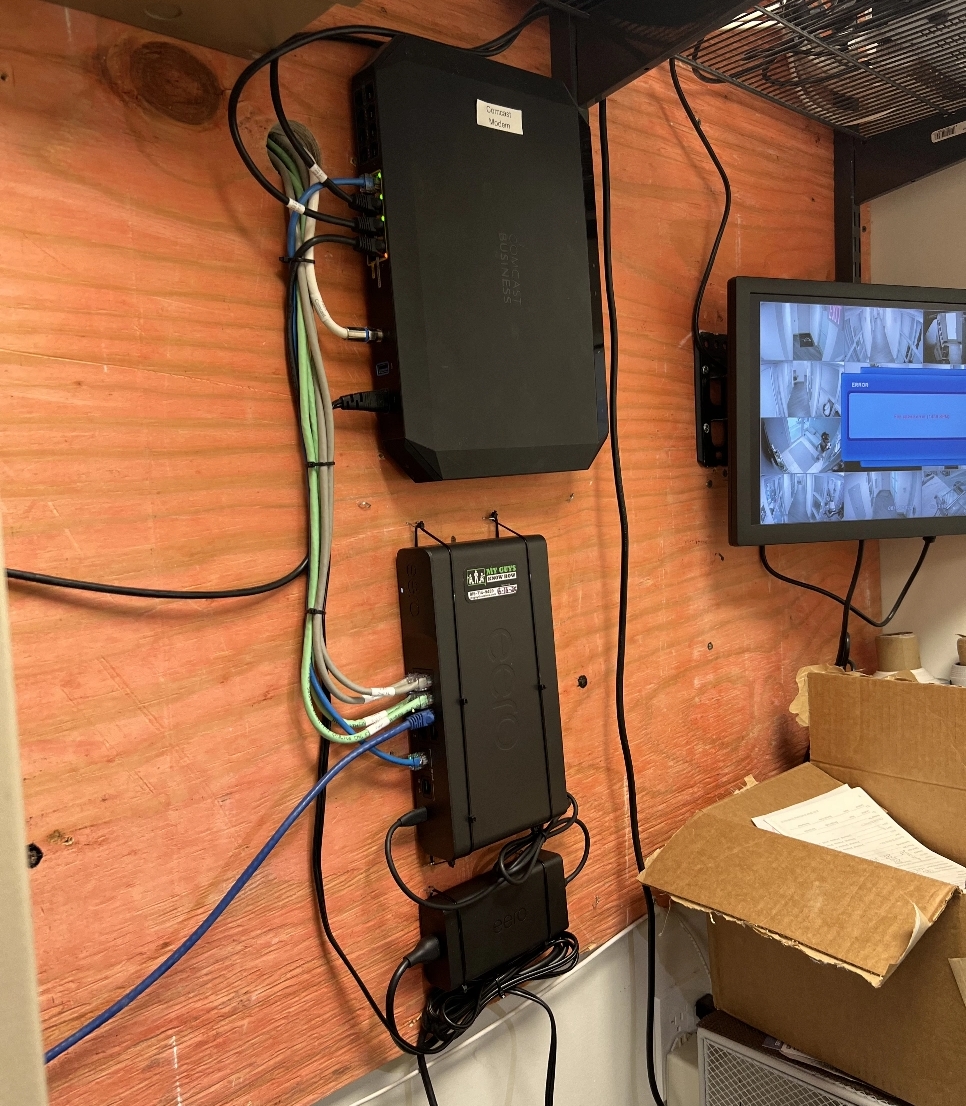
In today’s homes, the network is the backbone of everything, streaming, gaming, video calls, smart home tech, even your fridge. When it’s solid, you don’t notice it. When it’s not? You feel it everywhere.
That’s where MY GUYS KNOW HOW come in. We design and install rock-solid, lightning-fast home and business networks that you can depend on, no matter how many devices you’re running or how thick your walls are.
What We Handle:
Whole-Home WiFi Coverage
Hardwired Ethernet & Structured Cabling
Small Business Networking
Smart Device Integration
Ongoing Support & Troubleshooting
Why It Matters
A good network isn’t just about speed, it’s about reliability.
It’s about walking from one end of the house to the other without losing your Zoom call. Streaming 4K in the living room while your kids game online and your partner runs a presentation upstairs.
We make that happen.
What Our Customers Say

Frequently Asked Questions
Why is my WiFi slow in certain areas of my home?
WiFi dead zones are usually caused by the distance between your device and the router. Other things that create deadzones are objects that block or are in between your device and the signal from the router. Objects such as walls, building materials and appliances are notorious for cutting down signal strength. Interference from other devices can also play a role. Larger homes often need multiple wireless access points to create full whole-home WiFi coverage.
Read More
What equipment makes up a good home WiFi network?
A reliable system usually includes a modem, router, network switch, wired Ethernet cabling, and wireless access points placed strategically throughout the home.
What does a router do?
A router directs internet traffic between your internet service provider (ISP) and all the devices in
your home network. Think of it like a traffic controller that determines which information stays
inside your home network and which information goes out to the internet.
Do I need mesh WiFi or access points?
Mesh systems are very popular because they are good for basic coverage wirelessly connected. But professionally installed wired access points typically provide faster speeds, more reliability, and better performance. Wired mesh networks that use wired access points, switches and a router is the BEST practice way to get the most out of your home networking experience.
Why does my WiFi drop or disconnect?
Common causes include outdated routers, signal interference, overloaded networks, or poor access point placement. Walls, floors, appliances and people in the way of where you are using the signal also has a factor as well.
How can I improve WiFi coverage in a large home?
The best solution is installing multiple wired access points throughout the home to create consistent coverage rather than relying on a single WiFi enabled router. Homes larger than 2,500–3,000 square feet often benefit significantly from multiple wireless access points.
Can Ethernet networking cables be installed in an existing home?
Yes. Professional installers can run Ethernet wiring through walls, attics, basements, or crawl spaces. Typically these are low voltage or smart home networking professionals that perform this function and NOT the internet service provider. Typically a site survey is performed to assess the home and how it would be best to cover the property with a WiFi blanket. Evaluating
the construction of the home and feasibility of different locations for wireless access connectivity.
Should I wire my home for Ethernet during remodeling?
Absolutely. Running Ethernet during construction or remodeling is the most cost-effective way to future-resist your home network. Smart home realtors in the know can gain a premium on the wired infrastructure in a home when it comes time to resell as well. When in doubt, pre-wire it
out.
Is it expensive to pre-wire a home?
During the construction of a home is typically the least expensive time to have it done. During a remodel project also is another advantageous time to have it done. Post construction often is the most expensive time to run wires because the drywall is installed. Home layouts, distance,
and type of structure cabling will all be factors in the cost. On average, typical costs are $100-500 dollars per 100ft run. Keep in mind that ethernet has a physical limitation of 330ft distance. More than 300ft fiber should be a serious consideration.
The Knowledge Hub: Pro Tips for Your Project

What Is a Home Network/ Wi-Fi Network?
Most People Think They Have a WiFi Problem But most of the time, it is something bigger. It is the network. At My Guys Know How, we help homeowners design networks that actually support how they live.

Why Does My WiFi Keep Dropping or Disconnecting?
Few things are more frustrating than your WiFi dropping right in the middle of something important. You're...
How Can I Improve or Extend My WiFi Coverage?
WiFi isn’t broken in most homes. It’s just not designed for how people actually use their homes today. If...
THE GUYS WHO GET IT RIGHT
We’re not a one-size-fits-all operation. We take the time to understand your space, your devices, and your habits; then we build a system around your real-world needs.
No tech jargon. No hidden upcharges. Just smart, scalable networking designed for real life.